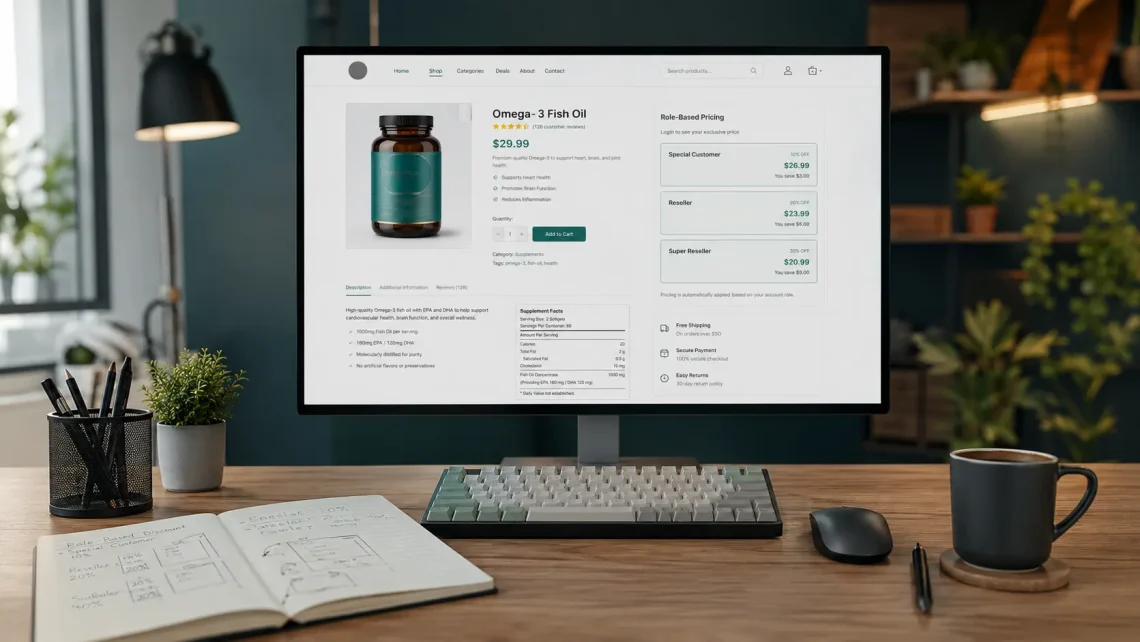
Role-Based Discount WooCommerce became the solution I built when a beverage shop owner needed tiered pricing without spinning up separate stores or relying on overly rigid discount plugins. This article is a case study from my personal experience, not a generic tutorial. I will walk you through the implementation process, from setting up the environment to testing the final product. Let’s dive in.
Development Environment Setup
Before writing any code, I set up a clean development environment so iterations could stay fast and isolated. I installed LocalWP for local WordPress development because it makes creating separate WordPress installations straightforward. I used the Storefront theme and created a child theme, since Storefront is WooCommerce’s official theme and a solid foundation for this project. I also configured Prepros as my build tool with live reload. That combination saved a lot of time while testing changes in both admin and frontend. Once the environment was ready, I started building the actual discount system.
Development Process
Registering Custom User Roles in WordPress
The first step was creating custom user roles so customer types could be clearly differentiated. Beyond the default Customer role, I added three new roles: Special Customer, Reseller, and Super Reseller. These roles became the foundation of the pricing logic applied across the cart, product page, and admin panel. Without a clear role separation from the start, a role-based discount system becomes hard to maintain as more customer types are added.
Implementing Discounts for Simple Products
With the roles in place, I added custom discount fields to the product editor for simple products. The goal was to let the shop admin set discount percentages per customer type directly from the product page. I added three fields to the Simple Product editor panel: Special Customer Discount (%), Reseller Discount (%), and Super Reseller Discount (%). I also wrote JavaScript to calculate and display the discounted prices dynamically whenever the admin changed the percentage values. That way, the admin did not have to calculate promo prices manually for each role.
Implementing Discounts for Variable Products
For variable products such as coffee with different types and sizes, I used a similar approach but had to account for every variation. This part was more complex because discount fields needed to appear on each product variation, and the real-time price calculation still had to stay accurate. I added discount fields at the variation level and kept the calculations in sync whenever the admin changed the percentage for each role. As a result, every attribute combination kept its own discount rules without affecting regular customer pricing.
Setting Default Discounts Based on Product Type
To keep admins from repeating the same inputs over and over, I added default discounts based on product type. These defaults acted as starting points that could still be overridden per product when needed. That approach saved a lot of catalog setup time, especially when the shop had many SKUs with similar discount patterns across roles. In practice, default values became one of the most helpful parts of day-to-day store operations.
Displaying Discount Information on the Frontend
Once admins could configure discounts, users needed to see their special pricing. I added a feature to display the applied discount percentage and the final price on the product page, but only for users with special roles. Regular customers continued to see normal prices without role-based discount labels. This kept pricing transparent for resellers without confusing everyday customers who were not eligible for tiered prices.
Implementing AJAX for Dynamic Price Calculations
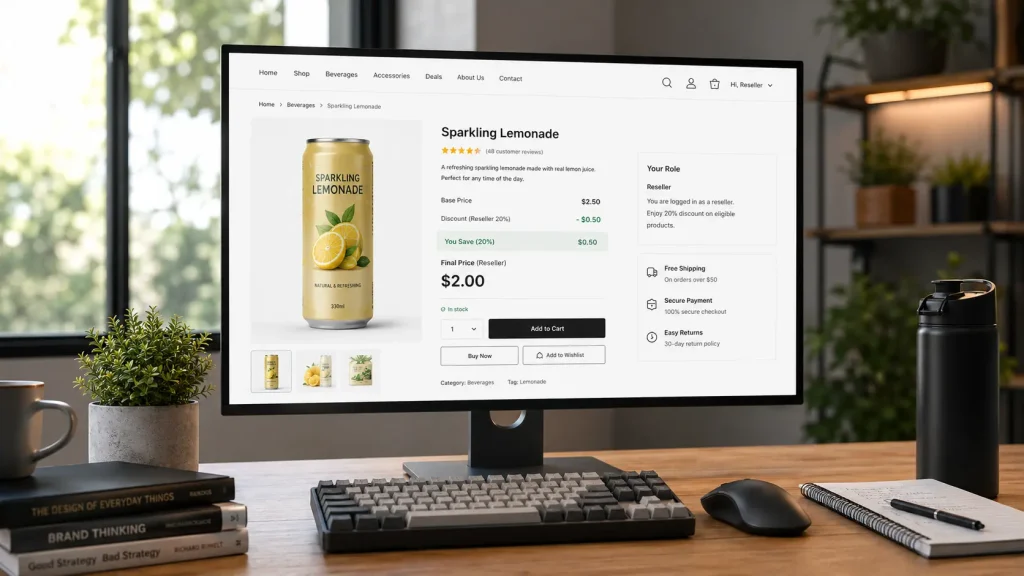
On variable products, discount information had to update whenever a user selected a different variation. I implemented an AJAX solution to fetch the correct discount data every time a variation was selected. Without AJAX, the page could show stale role pricing or amounts that did not match the active variation. With dynamic requests, the shopping experience stayed in sync across the selected attributes, the role discount percentage, and the final price shown on the frontend.
Demo on Variable Products
To verify the real-time behavior, I tested the variation selection flow on a variable product in the frontend. Every time an attribute changed, the role discount label and final price updated without a full page reload. You can try the full demo yourself at https://case-study.rizwanaritonang.com/shop-1.
Testing Across Different User Roles
To make sure everything worked correctly, I tested the system with different accounts for each role. I created a test account per role and verified that regular customers saw normal prices, special customers saw the Special Customer Discount with reduced prices, resellers saw their specific discount and pricing, and super resellers saw their discount with the lowest prices. You can test this system yourself at https://case-study.rizwanaritonang.com/shop-1 using these credentials:
- Role: Customer — username: JustCustomer — password: LJneZd8YDd8J)6BwD$A#&13F
- Role: Special Customer — username: TestSpecialCustomer — password: Mw@okNZoNdlOLFtbgvvv3&vt
- Role: Reseller Account — username: ResellerAccount — password: LeRLEgvayJVcs*m&sjDSJSu%
Conclusion
Building a Role-Based Discount WooCommerce system was challenging and rewarding at the same time. The main takeaways from this implementation are: custom user roles are essential for differentiating customer types, custom meta fields give administrators flexible discount options, JavaScript calculations improve UX for both admins and customers, AJAX is crucial for dynamic updates on variable products, and default values can save store admins a significant amount of setup time. This solution lets beverage shop owners offer tiered pricing to different customer types without separate stores or overly complex plugins. It is a flexible, maintainable approach that can be extended for other e-commerce needs. Feel free to check out the demo and let me know if you have any questions or suggestions for improvement.


