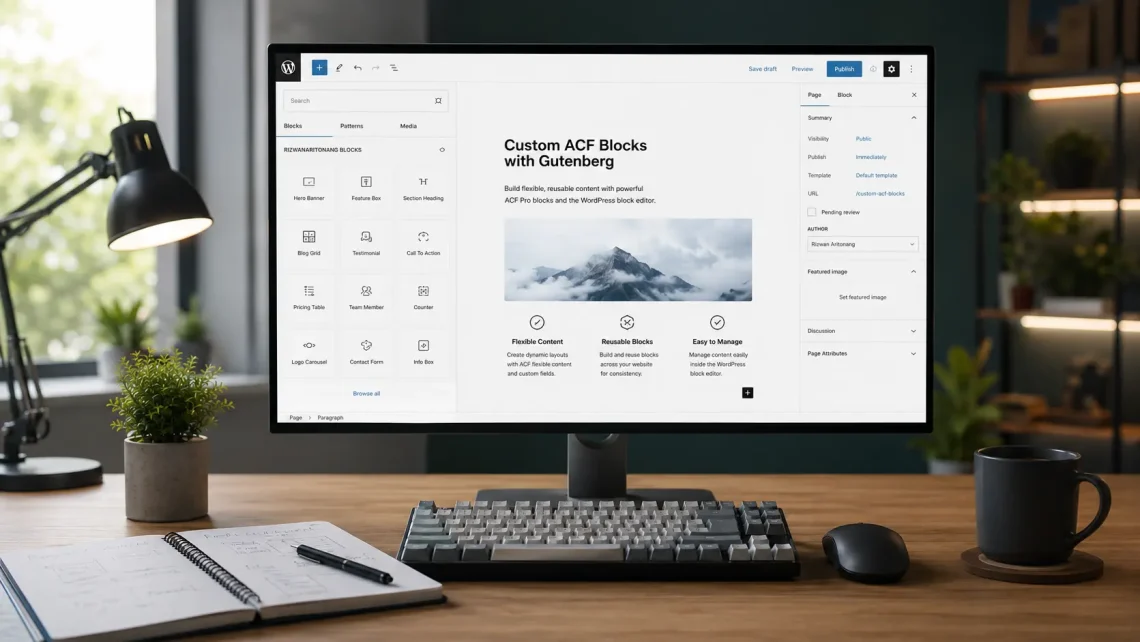
Custom Gutenberg Block ACF Pro became the solution I built when content creators needed flexible writing tools, but I did not want to get stuck writing React or overly complex JavaScript blocks. Gutenberg already provides a strong foundation, yet the default blocks often fall short for the specific content structures used on client websites. This article is a case study from my personal experience, not a generic tutorial. I will walk you through the implementation process, from the reusable block foundation and dynamic registration to custom categories, InnerBlocks examples, ACF fields, and PHP rendering. Let’s dive in.
The Challenge I Faced
I needed custom blocks that were powerful and content-creator friendly, with advanced field management through ACF Pro, without building a heavy JavaScript ecosystem. Default Gutenberg blocks were not enough for the recurring content layouts I used. I also wanted every new block to follow a consistent pattern: create a folder in /blocks, write block.json, provide a PHP template, and let the system discover it automatically. Without a scalable registration foundation, adding a new block would always feel like starting the setup from scratch.
Step-by-Step Implementation
Building the Reusable Block Foundation in Admin
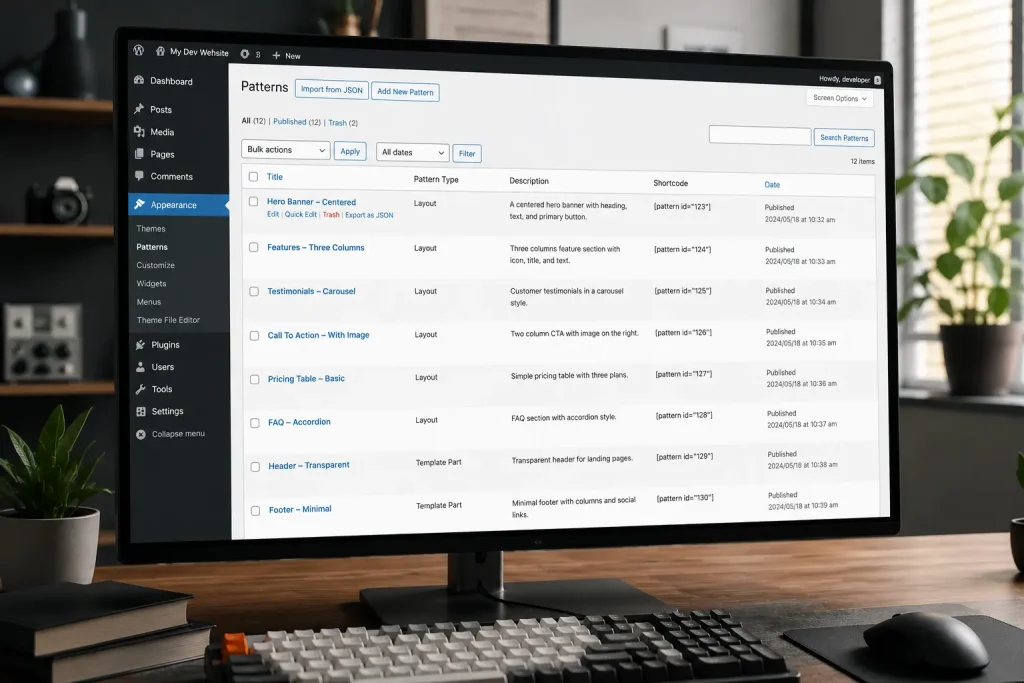
The first step was not writing a visual block right away, but cleaning up the reusable block foundation in WordPress admin. I created a theme-reuseable-blocks.php file so Reusable Blocks were easy to access from the admin menu, callable through a shortcode, and visible as a Shortcode column in the Patterns/Reusable Blocks list. With this approach, composed blocks could be reused across many places without manual copy-paste. That foundation also became the “home” for the entire custom block system I would register next.
Dynamic Block Registration from the /blocks Folder
Once the admin foundation was ready, I built a dynamic discovery and registration system. The logic was simple: scan the theme’s /blocks folder, then register every directory that contains a block.json using register_block_type(). I also checked for ACF Pro availability before registration ran, so the theme would not break in incomplete environments. That approach made my Custom Gutenberg Block ACF Pro system scalable. Every time I add a new block, I only create a new folder without rewriting the main registration loop.
Creating a Custom Block Category
To keep custom blocks from getting lost among hundreds of core blocks, I registered my own category through the block_categories_all filter. The category slug is rizwanaritonang-block with the title “RizwanAritonang Blocks”. Every block.json I create then points to this category. As a result, content creators find the relevant blocks faster, and I get a dedicated space for grouping project-specific content tools.
Auto-Loading ACF Field Groups per Block
For field management, I did not want to register every ACF field group in one giant file. I built a loader that reads each block folder’s acf-fields.php file and requires it on the acf/init hook. If a block needs custom fields, its field group lives with that block. If there is no acf-fields.php, the block still works without ACF fields. This pattern keeps every block modular and easier to maintain.
Example Block with Child Blocks via InnerBlocks
One real requirement I had was a content layout that allows child blocks from Gutenberg core. I created a content-format-geekfolio block with API version 3 in block.json, preview mode, and supports.jsx enabled. In the content.php template, I wrapped the content with the theme’s HTML structure, then used <InnerBlocks> with allowedBlocks limited to core/heading, core/paragraph, core/image, and core/list. This approach gives layout control on the theme side, while content creators keep writing with the Gutenberg blocks they already know. There is no need to build a custom React editor just to compose headings, paragraphs, images, and lists inside a pre-styled container.
Example Block with ACF Fields and Preview Placeholders
The second requirement was more field-driven: an opening paragraph with a large character in front of the text. I created a content-first-paragraph block that pulls values from get_field('first_character') and get_field('paragraph'). In preview mode, if the fields are still empty, I provide placeholders so the editor does not look empty and confusing. On the frontend, if both fields are empty, the block renders nothing. This is a very useful pattern for ACF-based blocks: content creators fill the fields, PHP renders the HTML, and the preview stays friendly when data is incomplete.
PHP Server-Side Rendering for Every Block
Every block in this system is rendered on the server through the PHP template pointed to in block.json under acf.renderTemplate. I use the same pattern in each template: build $id from $block['id'] or an anchor, compose $className, sanitize output with esc_attr() and esc_html(), then print markup based on fields or InnerBlocks. The upside is clear: I do not need complex JavaScript render logic, frontend performance stays light, and markup follows the existing theme structure. For PHP-based custom theme projects, this approach is far more maintainable than a full React block stack.
Testing and Validation
After several blocks were active, I tested the flow end to end. I confirmed block registration worked, the custom category appeared in the block inserter, ACF fields were available on blocks that needed them, InnerBlocks only allowed the permitted child blocks, preview placeholders showed when fields were empty, and frontend output matched the PHP templates. I also tested reusable blocks through the admin menu and the [reusable_block id="..."] shortcode so the reuse pattern stayed consistent. As a result, content creators got a more powerful editor, while I kept full control over markup and performance.
Results and Impact
Implementing this Custom Gutenberg Block ACF Pro system delivered several immediate benefits. Content creation became more flexible because blocks matched the website’s needs instead of being forced into generic defaults. ACF Pro integration made field management feel familiar to anyone already used to ACF. Custom block categories cleaned up the editor library. Dynamic registration from /blocks sped up the process of adding new blocks. And PHP server-side rendering kept the project simple without unnecessary JavaScript complexity.
Conclusion
Building Custom Gutenberg Block ACF Pro was both challenging and practical for a PHP-based WordPress workflow. The main takeaways from this implementation are: a reusable block foundation helps reuse content across pages, scanning the /blocks folder makes registration scalable, custom categories tidy up the editor experience, acf-fields.php per block keeps field definitions modular, InnerBlocks work well when content creators need to compose Gutenberg child blocks inside a custom layout, ACF fields fit structured content with preview placeholders, and PHP rendering is enough for performance and maintainability without excessive React. This system became a powerful, user-friendly backbone for content creation. The same approach can be extended to other blocks as long as the folder pattern, block.json, and PHP templates stay consistent.